

You collect more than you think. Talks you watched, reports you saved, notes from meetings that mattered. Most of it settles into folders you never open again, and the part that's actually worth keeping — how those pieces fit together — never leaves your head.
So here's the question I want to answer: what if your AI didn't just store all of that, but drew a living map of how it connects, and redrew the map every time you added something new? That's what a personal knowledge base does. I'll show you what one is, the four parts it's built from, how to stand one up in about five minutes, and where its real value hides.
A second brain your AI keeps for you
The idea is plain: use a language model to build a personal knowledge base for the topics you care about. You feed it your sources, it reads and files them, and you use an ordinary notes app as the front end to browse the result. People call this a "second brain" — an external memory that holds not just your material but the links between the pieces, so it can reason in connections the way you would if you had perfect recall.
The notes app I use for the front end is Obsidian. Underneath the friendly interface, an Obsidian "vault" is just a folder of plain text files written in markdown (markdown is ordinary text with light formatting, like a hash mark for a heading and square brackets for a link). Nothing proprietary. You could open every file in any text editor and read it.
The anatomy: four moving parts
A knowledge base like this has four pieces, and once you see them the whole thing stops feeling like magic.
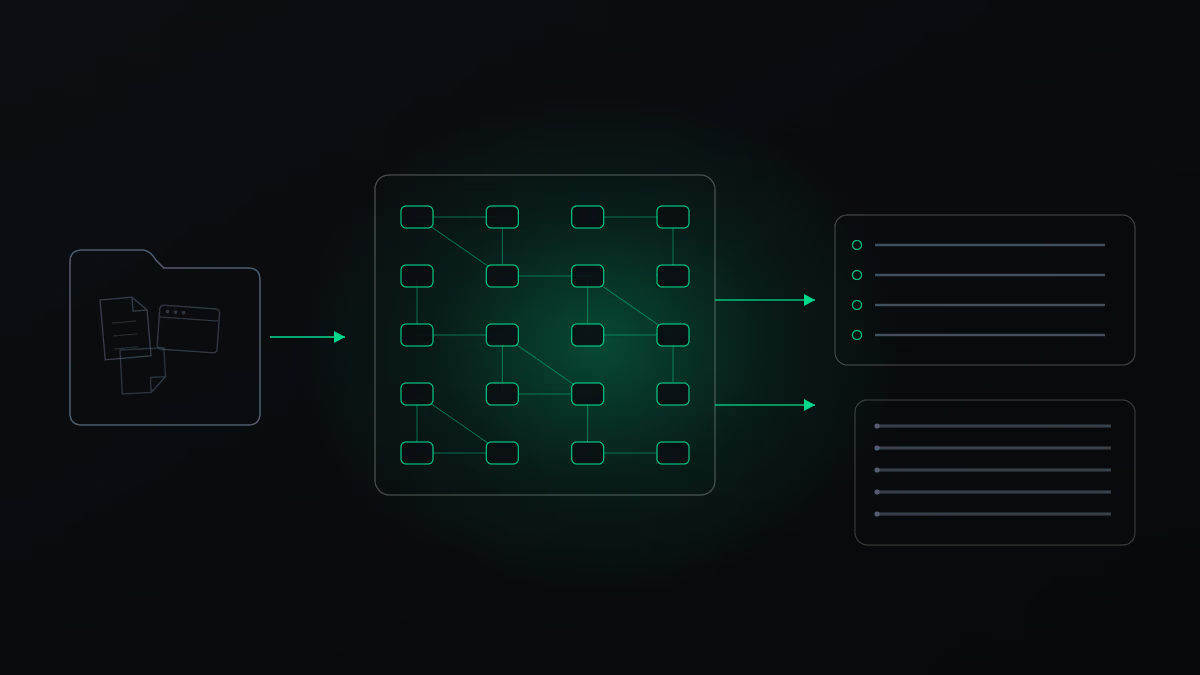
raw/ is the inbox. You drop things in and forget about them: a PDF, a link, a transcript, a page of notes.
wiki/ is the processed knowledge. This is where the AI does its work: it reads what landed in the inbox and turns it into many small notes, each about exactly one thing: a single idea, a tool, or a company. A note is short on purpose. The value comes from how densely the notes link to each other, so one page about a tool points to every note that mentions it, and back again.
The index is a table of contents the AI keeps up to date for you: the tools, the techniques, the concepts, each linked to its note. It's the map of the territory.
The log is a dated history of every time you added something. It's how the system remembers what it has already seen, so it can grow a little at a time instead of rebuilding from scratch.
Sitting on top of all four is the rules file (in Claude Code it's called CLAUDE.md). Think of it as the router. It tells the agent where to look for what, so it can walk the index and the links straight to the one relevant note instead of re-reading everything you own. That routing is what keeps the whole system fast and cheap to run.
Set it up, then feed it
You don't build any of this by hand. You describe it once and let the agent scaffold it.
First, install Obsidian and create a new vault, which is just a new, empty folder. Then open that folder in Claude Code (an AI assistant that works directly with the files on your computer). Paste in a short description of the idea, then a single instruction along these lines:
You are now my knowledge-base agent. Set this folder up as my complete second brain: create the rules file with my conventions, build the index and the log, define the folder structure, and show me the first ingest. From now on, every interaction follows this schema.
("Ingest" just means: read a source and file it into the notes.) The agent goes away for a moment and comes back with the skeleton built: the raw and wiki folders, an empty index and log, and a few starter buckets inside the wiki like concepts, entities, and sources. From then on it knows the routine.
Now you feed it. There are two ways to add material, and both are as low-effort as they sound. You can drop a file straight into the raw folder, whether that's a PDF, a text file, or a set of notes. Or you can paste a link and say "read this and ingest it."
The agent decides how much structure each source deserves. A short article might become a single note; a dense technical PDF might fan out into twenty cross-linked pages. You don't tell it how many. You tell it what to read.
Where the value actually hides
Storage is the boring part. Any folder stores files. The reason this is worth doing is the connections the AI surfaces between sources you'd never have thought to compare yourself.
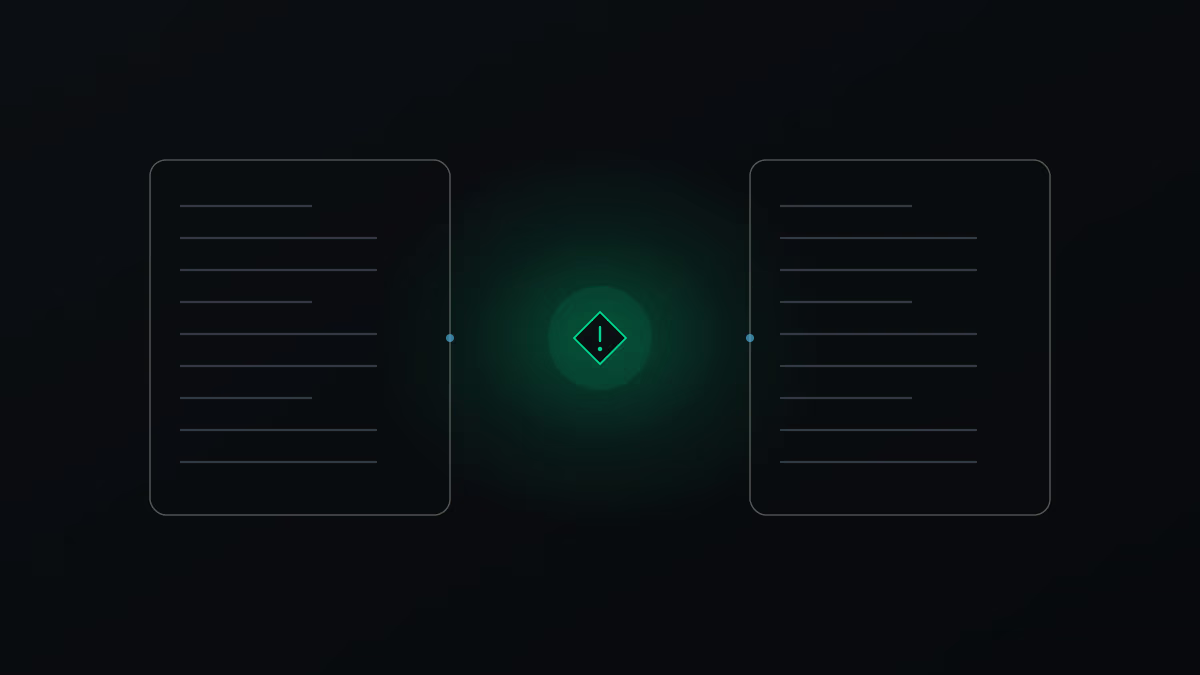
Here's the kind of thing I mean. Feed it two separate technical documents from two different labs. Not only does it notice that the two reference each other and link them. It catches a discrepancy you'd almost certainly miss reading them apart: two benchmark results look directly comparable at a glance, but one was measured against last year's model and the other against a different system, on different test setups, so the numbers don't actually line up. The knowledge base flags exactly that. That single cross-reference is what makes the result a wiki rather than two tidy summaries sitting in separate files.
You can push the idea further. Point the same setup at your own work, your projects and your numbers, and ask it to assemble a visual story of what you've done over the last six months. Because it has been routed through everything, it can pull the real figures and shape them into something you'd actually show a colleague, not just a wall of text.
One structure doesn't fit every pile
The agent shapes the folders to the data, and it's worth watching what it chooses. Point it at a library of video transcripts and it may organise them into neat subfolders: concepts, techniques, tools, comparisons, sources. Point it at a pile of meeting notes and it might keep everything flat, all on one level, no subfolders at all.
Flat is often the better outcome, not the lazy one. The whole point is that both you and the agent can search the material fast, and extra layers of folders get in the way of that. If you don't like how it organised something, you change the rules and re-run. Every knowledge base I set up ends up with slightly different conventions, because the data inside is different. Make it make sense to the machine, and make it make sense to you.
It's just markdown and routing
The most freeing thing to realise is what all these notes actually are. Every page is a plain markdown file with links. There's no database you're trapped inside, no format only one app can read. So you're not locked into the tool you built it in. Point a different assistant at the same folder — another chatbot, a coding agent, something you wrote yourself — and it works just as well, because it's reading the same plain files. Your second brain outlives the app you happened to start it in.
That's also why routing matters more than raw power. Feeding an AI more of your material does sharpen its answers, but only if it can find the right piece. A loose pile of documents overwhelms it; a well-routed knowledge base lets it walk straight to the one note that counts. Getting that routing right is the entire job of the rules file.
And you don't need the most expensive model for any of this. The day-to-day reading and filing works fine with any strong model. A more expressive one earns its keep for a single job: turning the raw web of notes into something presentable for other people, a friendly click-through explainer a beginner could follow without feeling lost. That's a question of tone and empathy, not raw reasoning, and it's worth paying for only when you're building for an audience rather than for yourself.
The lever
The thing that makes your AI sharper isn't a cleverer model. It's giving it a well-routed memory of your own material. Start small: one vault, one topic, five sources dropped into the inbox. Watch the map draw itself. When the structure stops making sense, open the rules file and fix it. That's the whole maintenance loop.
Pick the corner of your work that's most scattered right now, and point a knowledge base at that first.