

Ask five people what an agent loop is and you will get five different answers. That is not your fault — everyone draws it a little differently. But underneath it is always the same thing, and it fits in one sentence: an agent loop is AI that reasons out the next step, takes it, and checks the result — over and over, until it reaches the goal. I will show you the one skeleton that stays put no matter which diagram you are looking at, tell you when a loop is genuinely worth it (and when it is more trouble than it is worth), and walk you through building your first one — including the exact spot where beginners fall down.
First, two words that will keep coming back. A tool is something the agent can do on its own: search the web, run code, change a file. An agent loop is exactly that repetition of three moves — reasoning, acting and observing — until the goal is met. The easiest way to picture it is a smart intern you don't have to micromanage. You give them a goal and tell them what "done" means. They figure out the next step on their own, take it, check their own work and keep going, and they only come back to you when the job is genuinely finished or when they are stuck. An agent loop is exactly that, only in software.
Why it looks like a tangle
Watch five explainers on agents and you will see five different diagrams. One says "reason → act → observe." Another shows a model reaching for tools again and again. A third is an agent left to drive toward a goal with no one watching. A fourth is a single boss handing work out to helpers. You will also run into names like ReAct or AutoGPT — you don't need to memorize any of them right now.
All of those pictures describe the same thing from different angles. Underneath, the same three moves are always at work: reasoning, acting, observing. The rest is just a matter of how many loops you run at once and whether anyone is sitting beside them. So don't let the pile of diagrams throw you — it is one idea shown from different sides.
One skeleton underneath
Strip away the jargon and every agent loop is the same cycle: reason → act → observe, repeated toward the goal until a "done?" check tells it to stop.
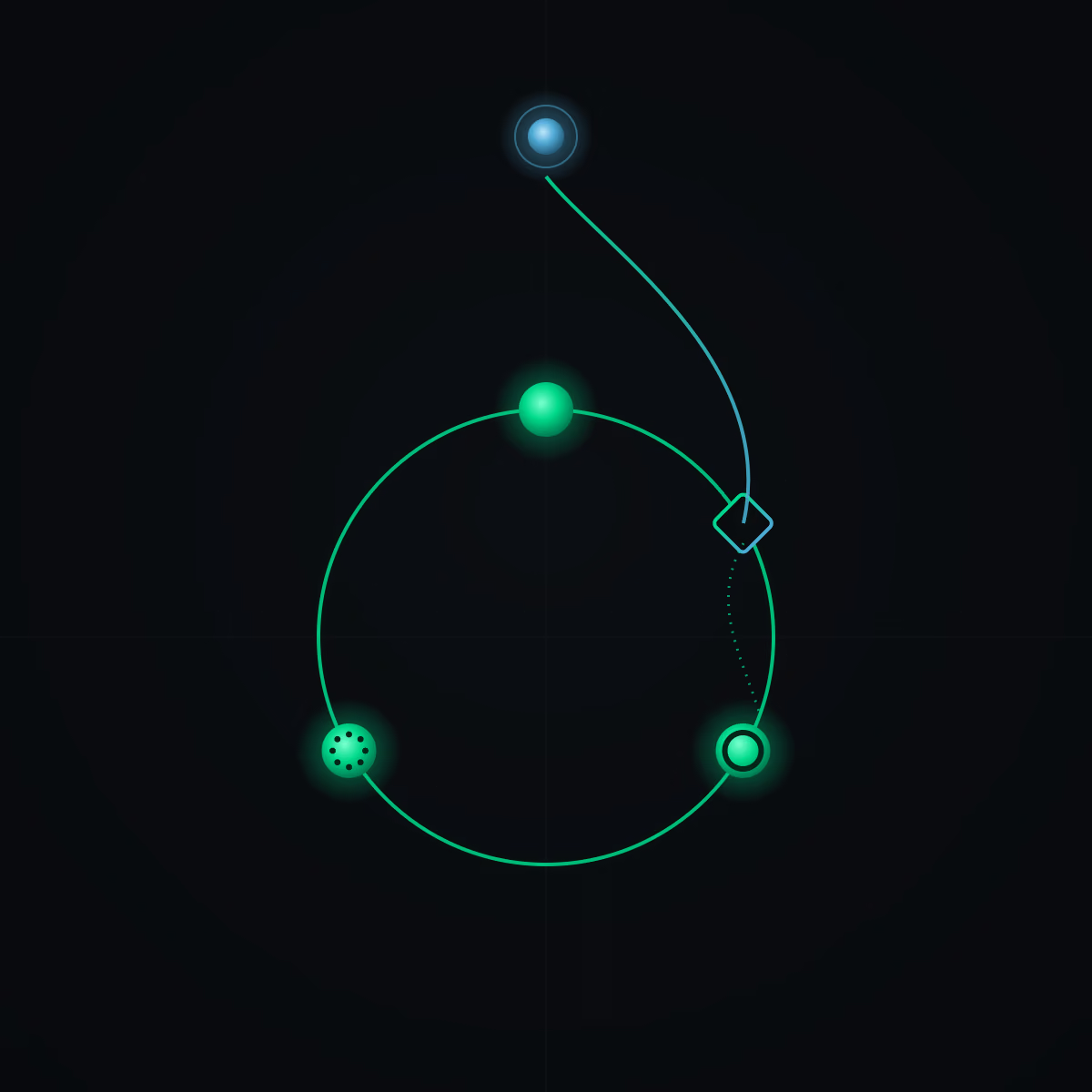
Break it into four pieces — that is the whole mechanism.
- Goal + what "done" means — this is what you hand over at the start. Without it the loop has no idea what it is driving at or when to stop.
- Reasoning — the agent works out the next step.
- Acting — it carries out that step with a tool.
- Observing — it reads what just happened.
Each lap is one step. The agent keeps circling (act, observe, act, observe) until the "done?" check passes — or until a guardrail stops it (a hard limit, for example a maximum number of attempts).
The heart of this cycle is the observe move. It is what makes the loop work at all: the agent reads its own result instead of assuming it worked. That is precisely why the "done?" check matters so much — without it the loop drives on blind. In a moment I will show you why that check decides everything.
Most tasks don't need a loop
A common mistake I see: people build a loop where a single command would have done. A loop only pays off once two conditions are met. Before you build anything, run the task through this ladder.
- Does the task repeat, or does it take several steps you can't map out in advance? If not — just hand it over as one command. A single shot will be faster.
- Can the AI check for itself that it is "done"? For example, run the tests or count the words. If it can't judge that on its own — do it yourself. The loop won't know when to stop anyway.
Only when the answer to both questions is "yes" should you build a loop. In every other case a single command or your own work will be simpler, cheaper and more reliable.
Three shapes you will actually use
The same diagrams you saw above can be grouped by when you genuinely reach for them. Start with the first one. Reach for the others only when a single agent honestly can't keep up.
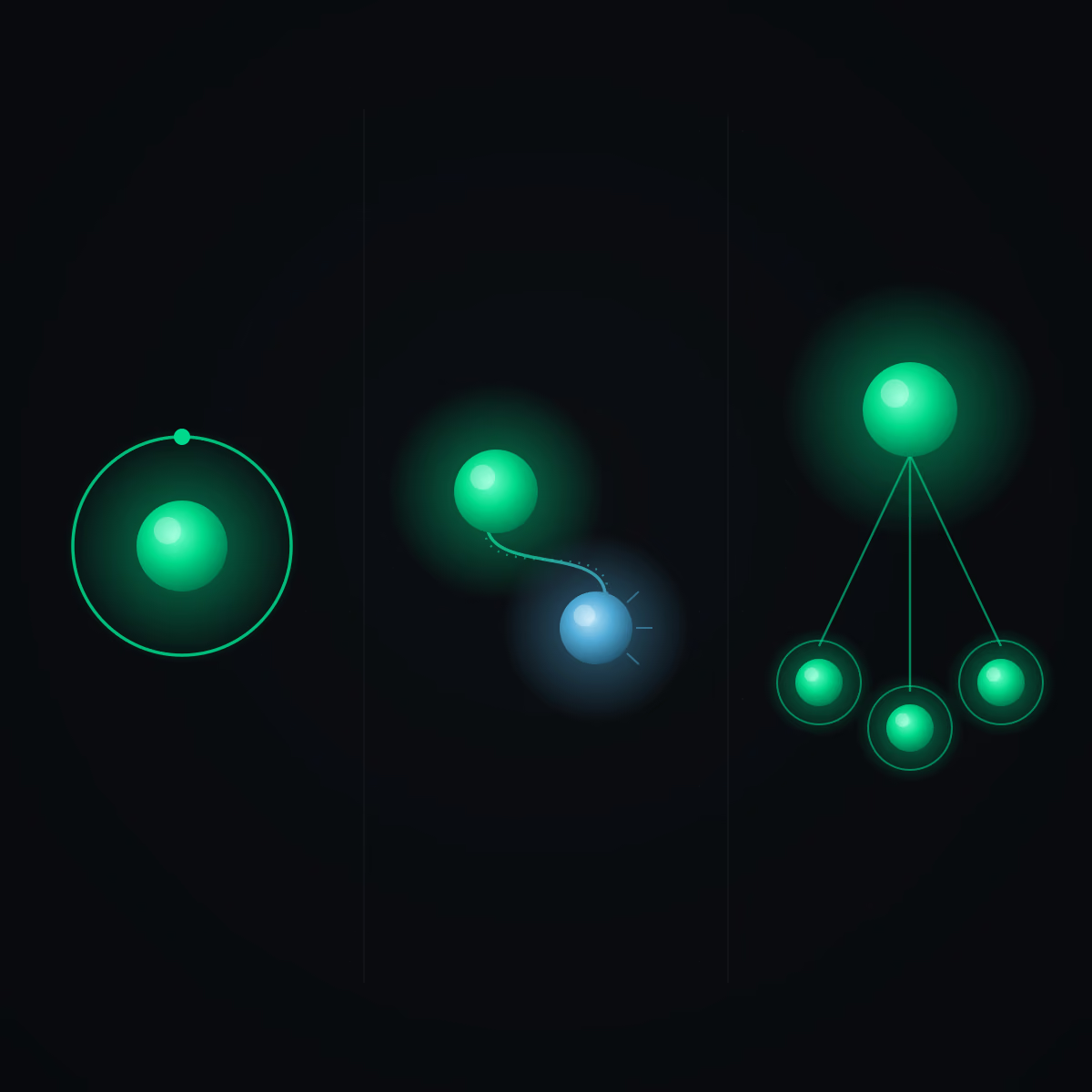
Solo loop. One agent runs one loop over one task. The easiest to build and the easiest to debug. This is where you start — it covers most of the work.
Maker → checker. One agent does the work and a second one judges it — and the checker is a fresh agent that was given nothing but the job of judging. That way it can't rubber-stamp its own work, because it isn't the author. You reach for this setup when quality matters.
Manager → helpers. A lead agent splits a big goal and hands the pieces to sub-agents — smaller agents working in parallel. This is the shape for large jobs a single agent can't carry.
The "runs on its own, unsupervised" variant isn't a separate shape here — it is any of the above left unattended. That is exactly why a loop running on its own needs the strongest guardrails.
Where beginners fall down: the "done" check
A loop with a clear conscience will produce confident, polished and wrong work and then announce that it is finished — unless you tell it exactly what "done" means and give it a way to check. This is precisely where loops fall over. Before you build anything, set the finish line and answer two questions for yourself.
First: what does "done" mean? Write it so a machine can check it. "The tests pass." "Under 50 words and mentions the price." Not "do it well." A vague finish line guarantees the loop will call something finished that isn't.
Second: how will it check? Different tasks need different checks. There are four kinds — pick the one that fits.
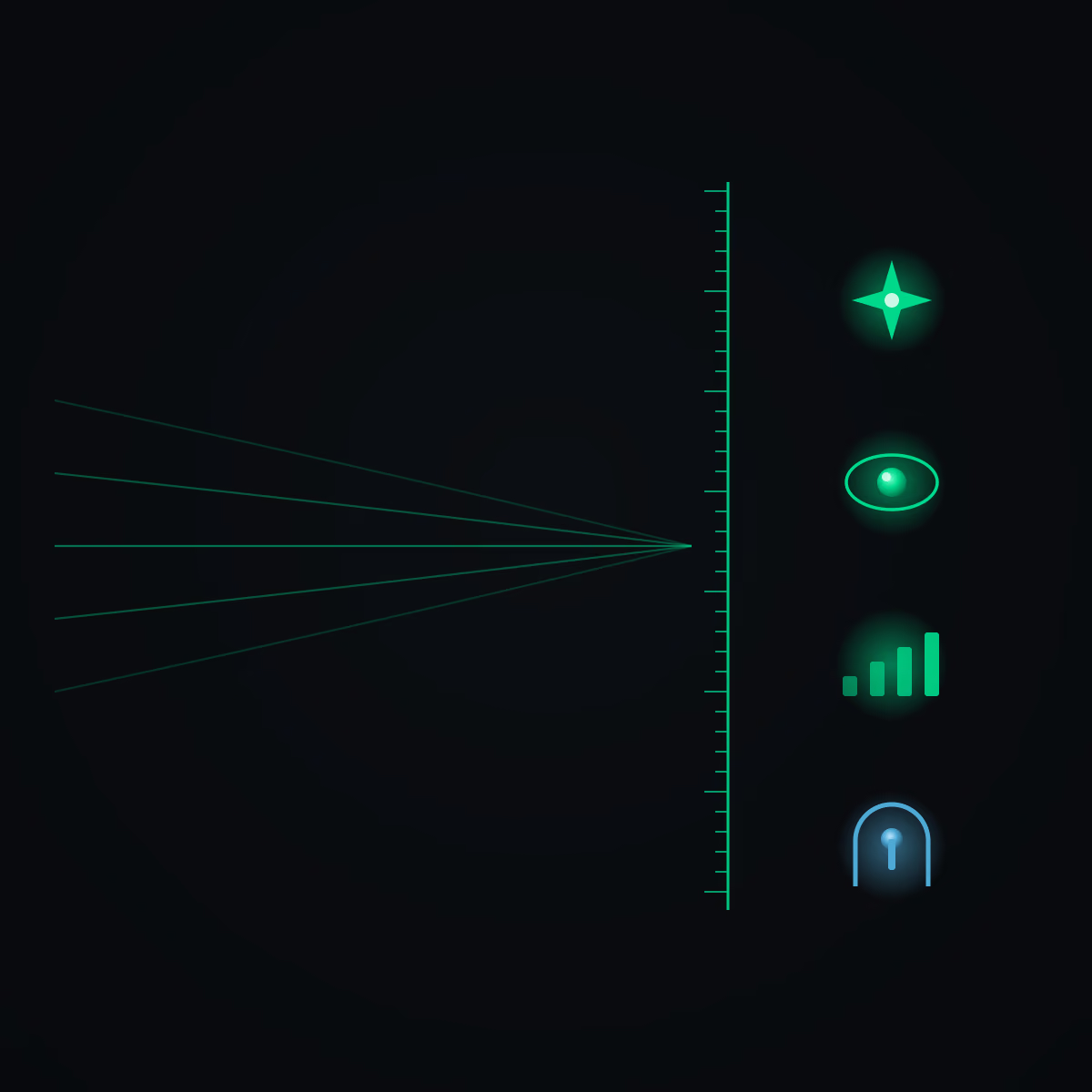
- Functional — the machine answers "yes/no," no opinions involved. The tests pass, the app launches, the code compiles. The easiest, so start right here.
- Visual — something you have to see to judge: an interface, a thumbnail, a page layout. Most agents can look at an image and assess it for you.
- Judgment — this needs taste, but you can write it down. Draw up a list of criteria (a rubric) and let a second agent score the work against it.
- You decide — an irreversible step or pure matter of taste that no rubric can capture. Here the loop stops, you approve, and only then does it move on. This is the check for risky things and decisions with no way back.
Build your first loop
You don't need a framework for this. If you have Claude Code (an AI assistant you run on your own computer), it already behaves like a loop — you just give it a goal and tell it what "done" means and how to check it. The same pattern works in any agent tool; the loop doesn't depend on the particular program. Claude Code is simply one example.
Give the agent four things:
- The goal — one clear sentence. "Fix one failing test in this project." Not "improve the code."
- What "done" means — a checkable finish line. "Done when this test passes after running the full test suite."
- How to check it — "Verify by running the tests and reading the result."
- A guardrail — a hard stop. "Keep going until the test passes, or stop after 5 attempts and let me know." Without this the loop can spin forever.
Not a coder? Same shape, different task. Goal = rewrite this paragraph. Done = under 50 words and mentions the price. Check = count the words and look for the word "price." Guardrail = stop after 5 attempts. That is a functional check: it verifies the rules, not whether the text reads well. Judging the style itself would already be a judgment check.
And if the task is risky — the agent is about to delete, send or pay for something — add a human gate to the instruction: "Stop and ask me before you delete, send or pay for anything." That is the "you decide" check in practice.
On the first run, just watch where the loop trips. Fix the instruction, not the result — and once it starts running clean, let it work on its own.
How to make a loop reliable
Most loops break for dull reasons: they spin without end, burn through money, or ship sloppy work. The ones that hold up have the same things sorted out. Walk this list before you trust a loop enough to let it run alone.
- A checkable goal. Define "done" so a machine can verify it — not "do it well," but "the tests pass" or "under 50 words."
- A hard stop — always. A maximum number of attempts, a budget, or a time limit. No exceptions, so the loop can't run forever.
- Reliable tools. The actions the agent can take must be dependable and clearly described.
- Summarized memory. Keep the history, but summarize it so the context doesn't swell and start to overwhelm the model.
- A separate checker. Make → judge → fix → repeat. The maker never grades its own work.
- A plan first on a big task. A large, multi-step job? Have the agent write a plan before it acts. A small one? Skip this step.
- Logging. Record every thought, action and result, so you can trace what went wrong.
- Cost sense. Loops burn tokens fast. Start small and tightly scoped, and only then scale up.
The principle that stays with you even after you forget every name: an agent loop is only as good as its "done" check. Everything else — the reasoning, the acting, the shape of the setup — is execution. It is the finish line that decides whether the loop delivers a result or, with a clear conscience, declares success on something that isn't finished. So before you let a loop run on its own, ask yourself one question: can the machine tell for itself that it is done? If you can't answer that, you don't have a loop yet — you have a hope.