

Claude Design is a tool where you describe a website in words and the model builds a finished design — layout, copy, colors and animation included. You can rebuild an existing site or start from scratch. The results can be genuinely polished: a moving background, 3D elements (that is, ones that give the impression of three dimensions), scenes that change as you scroll. Below is what you actually have to do to put such a site together and publish it — and what to watch out for, because this tool can eat through your limit fast.
Let me start with a few terms. Claude Design is a separate product from Anthropic — the same thing Claude can do in design work, but wrapped in a more convenient interface. It runs on the Opus 4.7 model, which has stronger image understanding than earlier versions. A render is the page displayed the way a user will see it. A token is a fragment of text the model operates on — and usage is counted in tokens, so I cover limits separately below. One thing up front: Claude Design works only on a paid plan; you can't run it on a free account.
Two ways to start: rebuild or from scratch
If you already have a site whose code lives in a GitHub repository (that is, a place where project files are stored) or in a folder on your drive, just hand it to Claude Design. That's the first route — rebuilding an existing site while keeping what matters: the colors, the copy, the brand's character.
The second route is starting from an idea. Here it's worth talking to plain Claude first and asking for a spec: what the product does, how the welcome section should sound (the so-called hero — the first screen you see when you land on the page), what the brand's positioning and style are. Claude returns a finished brief — a name, a character, a color palette, a list of sections. You paste that brief into Claude Design later as a starting point. The more context you give at the start, the fewer revisions later — and revisions are exactly where you burn the most tokens.
A moving-video background and a layout sketch
A striking background is often a short video playing on a loop. The pattern is simple: you ask Claude for a description of an image that fits the brand, generate the graphic from it in a separate tool, then turn that graphic into a few-second clip. An important detail: the camera in such a background should not move — it should be a calm, looping animation that leaves room for text on top. Claude Design accepts video files, but with a size limit (on the order of 30–40 megabytes), so you can't upload clips that run for tens of seconds.
Before the model starts building, you can sketch the layout right inside the tool — mark where the background goes, where the welcome text goes, where the navigation and logo sit. It doesn't have to be pretty; the point is for you and the model to be looking at the same thing. Then you drop in the video file, paste the brand spec and describe what should be built in a single instruction. The model starts, shows its line of thinking and a task list — and that's the moment to watch it. If it's heading the wrong way, it's better to stop it right away than let it build something unnecessary, because every such step costs.
Edits in the preview window instead of new instructions
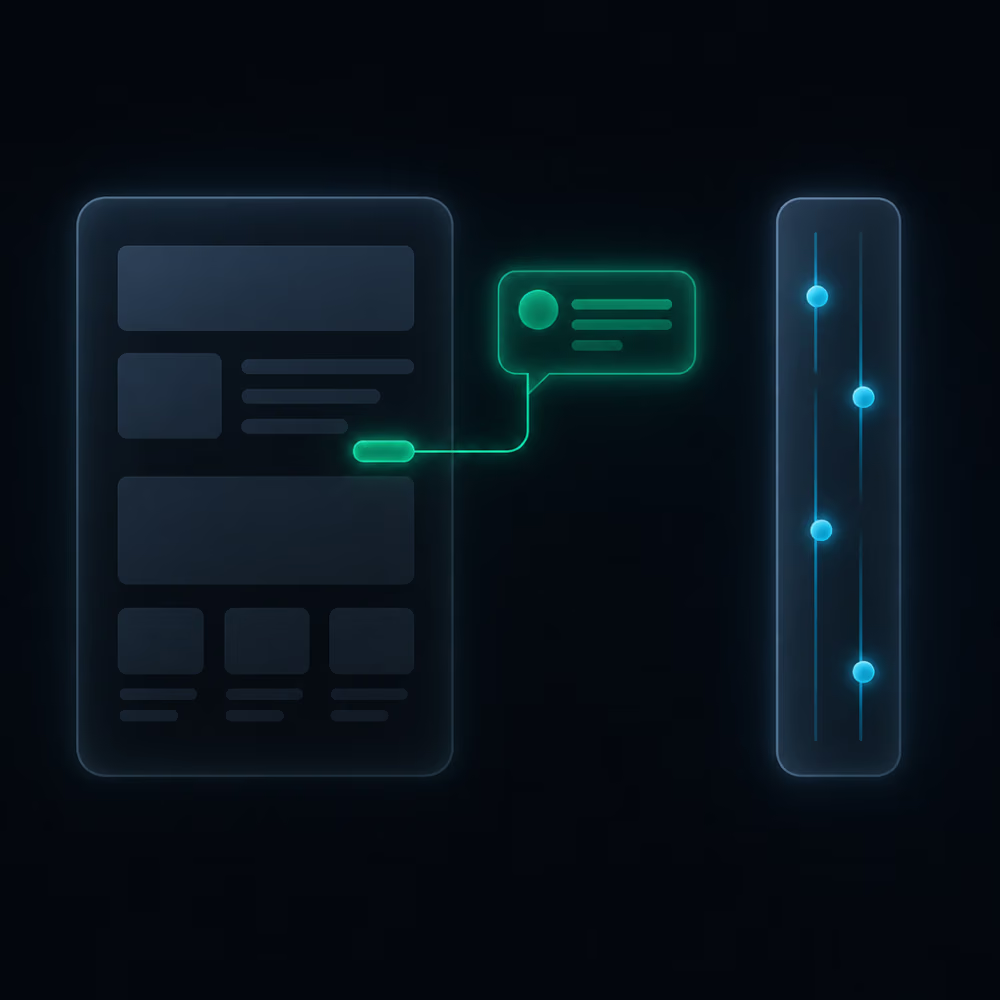
This is the biggest difference from writing code by instruction. In Claude Design you see a finished preview of the page and edit it directly on the preview, in a few ways:
- A comment on an element. You click a specific button or heading and describe the change. The model gets precise information about which element you mean, so it doesn't get it wrong.
- In-place editing. You can simply delete a fragment, change the text or its size — the change happens live.
- Drawing. You can circle an area and add a note, e.g. that the transition between sections is too abrupt.
Working separately is the tweaks panel — a set of sliders on the right with which you test the color palette, the typeface, heading sizes, the spacing between sections or the first-screen layout in real time. It lets you check "and how would this look in blue" without sending another instruction. If you tried the same thing by instruction, every version would be a separate request, render and possible undo — whereas here you just move a slider and keep what you've approved.
If you're short on ideas, you can also ask the model to propose what could be added and what's worth playing with — different colors, panels, variants. Inspiration sometimes comes from ready-made examples; I recommend motionsites.ai, with its libraries of backgrounds and whole scenes. The pattern is the same: you copy the description of a scene you like, hand it to Claude Design and ask it to swap the background for your own video and the copy and colors for yours. It shortens the path, but it's worth treating such examples as a starting point, not a ready-made to copy.
Publishing: from preview to a live site
Nobody but you sees the preview itself — for the site to be available online, you have to publish it. The path is this: in Claude Design you download the project as a ZIP package, open it in Claude Code (the tool where Claude works on files and commands), and from there push it to a GitHub repository and connect the repository to a hosting service, e.g. Vercel. GitHub stores the files; Vercel serves them on the web at an address.
Two common traps wait along the way. First: before you publish anything, check that the site works at all by opening it locally — at an address like localhost. That address is visible only on your own computer; if you send it to someone, they won't see your site, only whatever they're running on their own machine. Second: after the first deployment the site can return a "404 — not found" message. The typical cause is the hosting service looking for a start file in the root folder when that file has a different name; renaming the main file to index.html helps. In both cases it's enough to describe the problem to Claude Code and ask it to fix it.
From there comes a handy principle: you now have a working version (a local one you edit at your leisure) and a public version. You make changes locally, and when they're ready you push them to GitHub — the hosting service picks them up on its own and updates the live site.
And one thing that's easy to miss: Claude Design and Claude Code do not adapt the site to phones automatically. The design is built for the desktop screen. You check how the site looks on a phone in the browser (the F12 key and mobile view) — and only when you ask it to fit mobile devices will the model rebuild the layout. The desktop version won't suffer in the process.
Limits: where usage disappears and how to stretch it
Claude Design has its own weekly limit — separate from a regular session. It can run out fast: on the $20-a-month plan a single larger site and one brand system can nearly close it out; on the top plan you'll fit several sites and video projects before you get near the end. Treat this as an order of magnitude from the paid plans, not official quotas.
Most of the usage disappears in a few places: when you do everything with the most expensive model instead of a lighter one for the small stuff; when you build a brand system without a good starting point (just "digesting" the material takes a good fifteen minutes and costs a fair bit); and when you fix the site through a long exchange of instructions instead of using the tweaks panel. Hence a few practical habits:
- The right model for the stage. Save Opus 4.7 for planning and more serious changes; the lighter Sonnet 4.6 is enough for most of the building, as long as you describe precisely what you want.
- One visual change per instruction. When you cram several big changes into one instruction, the model usually nails only one or two and skips the rest.
- Say what you don't want, too, and refer to specifics. "Denser, in the style of 2023 interfaces" works better than "make it look nice."
- A fresh session for long threads. When a project drags on and the result still isn't there, export it and open it anew — you're not starting from zero, just fixing what's done with fresh context.
- Export when the rest is simpler by hand. You can take the whole project out as a ZIP or into other tools (Figma, Canva, PowerPoint) and finish the small details there if it's faster.
There's also an emergency fallback: when your Claude Design limit runs out and you want to keep working, export the project to Claude Code and continue there — you have separate usage there. When the Design limit renews, you go back to it.
What to take away from this
Claude Design shortens the path from a description to a polished, "live" site — with a moving background and 3D elements — and lets you fix the result directly on the preview instead of guessing by instruction. That's convenience, not magic: you still have to give it a good starting point, publish the site through GitHub and hosting, adapt it to phones yourself and keep an eye on a limit that drops faster than it seems. The core is simple — the more context at the start and the more revisions in the tweaks panel rather than in new instructions, the less wasted usage and the fewer iterations to your goal.