

I type one command and suddenly I'm watching five separate conversations start up in parallel. Each has a different "personality": one plays a complete beginner, another an engineer, a third an executive at a large company. They all read the same material and each comes back with its own assessment — while my main conversation stays clean. These are sub-agents. I'll show you what they really are, how they differ from skills, when they're worth switching on, and when they'll only slow you down.
What a sub-agent is
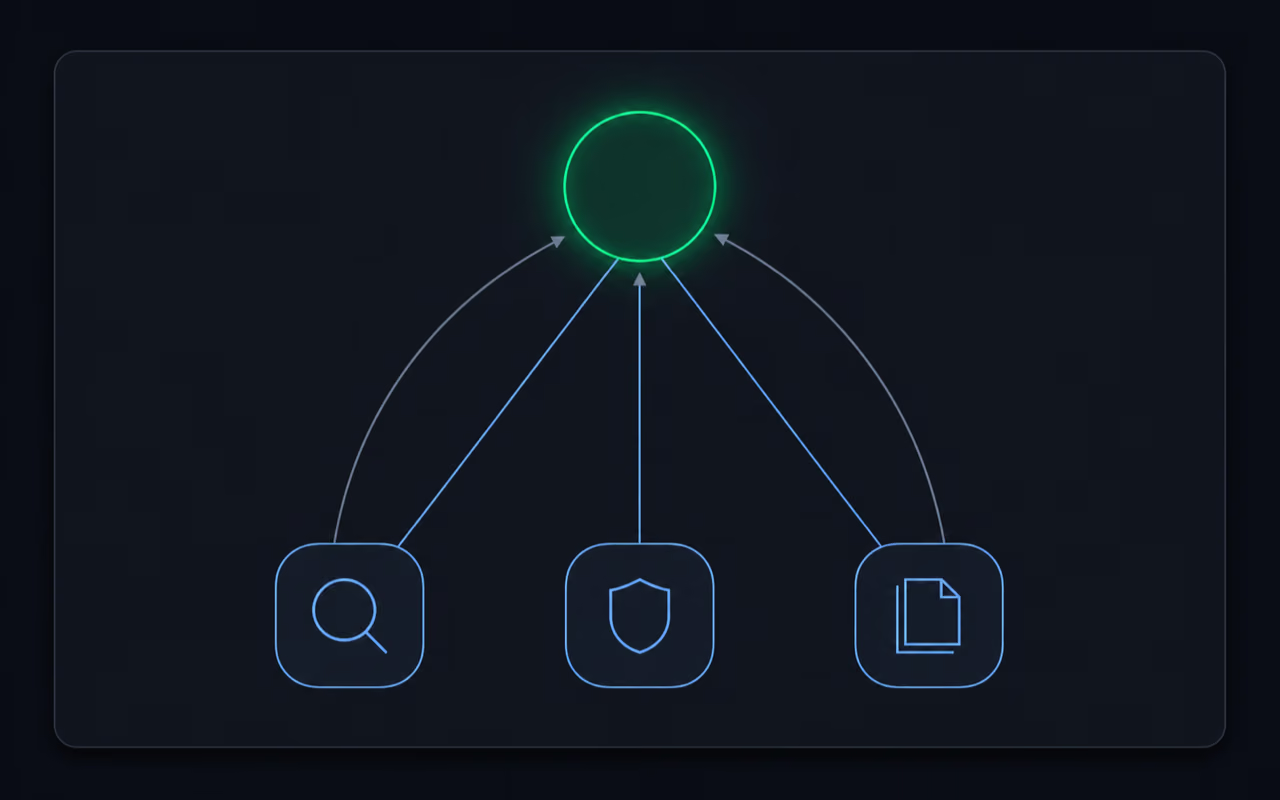
Picture your main conversation with Claude Code as a conductor. It's the one you talk to, the one you give commands to, the one that runs the whole project. In the tool's terminology it's called the main session or the orchestrator. A sub-agent is a worker the conductor brings in for one specific task: "read these files," "do the research," "fix this bug."
The most important thing: a sub-agent talks only to the main session, never directly to you. It gets a task, carries it out in a separate window, and comes back with a short report. The main session reads that report and passes you the result. You're dealing with a single interlocutor the whole time — it manages the rest itself.
Crucially, every sub-agent wakes up with a fresh, empty context. "Context" is simply the memory of the current conversation: everything you've written so far and everything the model has read. A sub-agent doesn't inherit any of it. It gets a blank page, its task, and that's it. It can also have its own language model, its own personality, its own permissions and its own specialist knowledge — more on that in a moment.
What it's good for — five reasons
Sub-agents aren't a flashy toy. Each of their strengths solves a concrete, everyday problem.
They keep the main context clean. The longer you talk, the more the context window fills up, and the more clutter settles into the model's memory. If you have a task in front of you that will spit out a wall of text you'll never look at again — say, reading a 300-page report just to extract three facts — hand it to a sub-agent. It reads everything on its own side, and a short summary comes back to you. Your main conversation stays light.
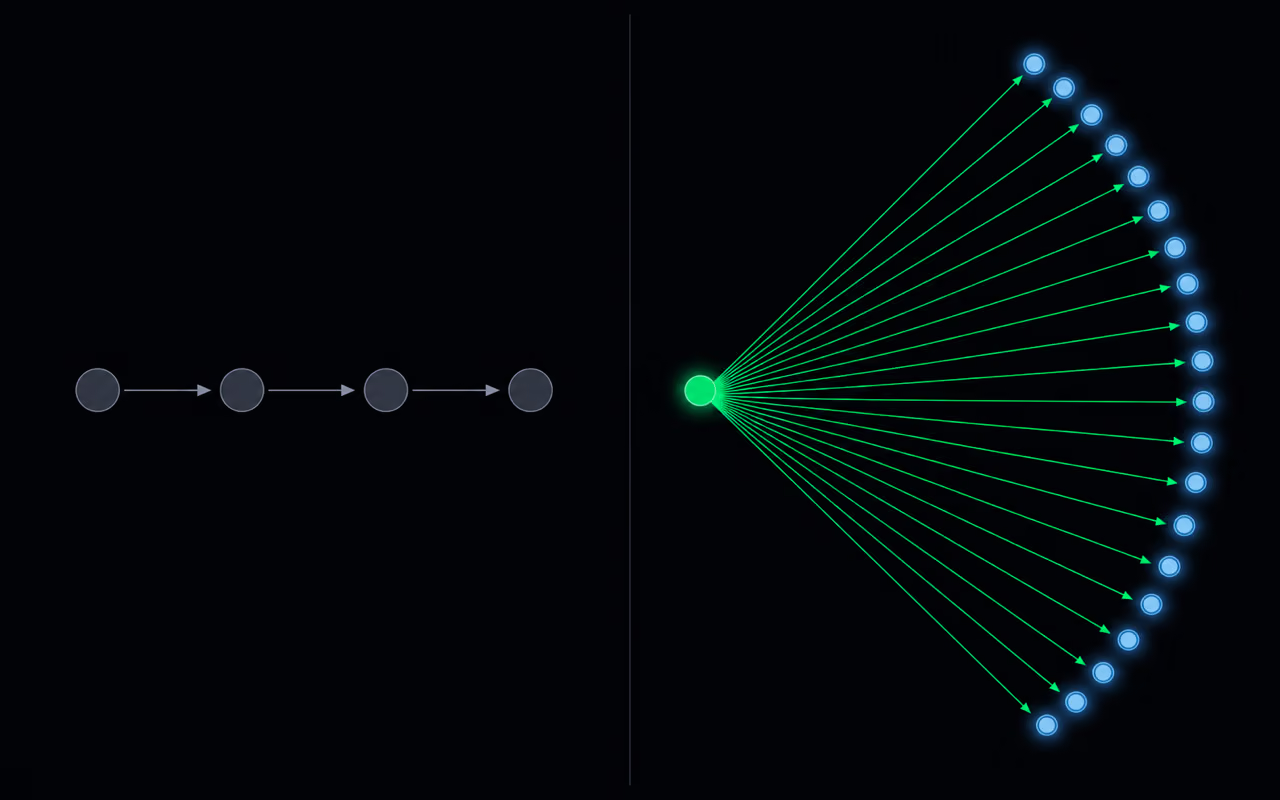
They work in parallel. If tasks are independent of one another, they don't have to wait in line. Got fifteen book chapters to review? The order doesn't matter, so fifteen sub-agents can review them at the same time. That's the difference between waiting in a queue and handling them all at once.
They save money. Models differ in price. The most powerful one (Opus) is the most expensive; the cheaper ones (Sonnet, Haiku) are enough for simpler work. So day to day you can talk to a smart, expensive "boss," and it parcels out the monotonous work among cheap "workers." Reading and summarizing a report is fine for a cheap model — there's no sense paying the top rate for it.
They give you an impartial reviewer. Since a sub-agent wakes up with no memory, it doesn't know your earlier arguments and has no reason to agree with you. This is a common problem I see: models can be yes-men, applauding ideas instead of testing them. A fresh sub-agent, set to tear a plan apart, will give you a more honest assessment than an interlocutor that was praising the very same idea three sentences earlier.
They're specialists. Instead of one do-everything assistant, you can have narrowly specialized workers: one knows security, another writes tests, a third documentation, a fourth databases. Each does one thing, but really well.
Sub-agent versus skill — where the difference really lies
This is where it gets interesting, because at first glance a sub-agent and a skill are the same thing. And in part they are.
Both are literally a single text file in markdown format. At the top of the file sits a short header (the so-called front matter) with two key fields: a name and a description. Below it are the actual instructions — what the element should do and in what order. That's all. A skill and a sub-agent are built identically.
That header works on a simple, clever principle I call progressive disclosure. When you give a command, Claude Code doesn't read all your skills and sub-agents in full at once — that would waste memory. It reads only the name and description, and on that basis decides: "does this fit what was just asked for?" If so, only then does it load the rest of the file and run it. If not — it skips it.
And now the one difference that actually matters: a sub-agent runs in a separate, clean context window and can work in parallel with others, on its own model. A skill usually runs inside your main conversation. That's it. A skill is like an ability you switch on for yourself here and now — "now I can write LinkedIn posts," "now I'm doing research." A sub-agent is like a separate worker you send out into the field.
And — importantly — they cooperate, they don't compete. A sub-agent can call a skill, and a skill can spin up sub-agents. You can have a great LinkedIn-research skill and pass it to sub-agents to carry out. It isn't an either-or choice.
How to write a good sub-agent
The most important — and most neglected — part is the description in the header. It's the trigger: it's what Claude uses to decide whether to run the sub-agent at all. A weak, vague description leads to what I call misfires: the sub-agent fires when it shouldn't, or stays silent when you badly need it.
So write the description precisely. Instead of "helps with plans," write exactly when it should switch on and which phrases it should react to — for example, "run when I ask you to critique or review a plan." If you want it to fire eagerly, you can mark it outright to be used proactively.
Tuning that description is trial-and-error work. It's rarely perfect the first time. When the sub-agent didn't fire even though it should have, stop and ask yourself — or ask Claude directly — why that happened, and then fix the description. The same when it fired needlessly. A small note from practice: if you open a quotation mark in the description, remember to close it — an unclosed quote can quietly break the whole header, and the sub-agent won't work at all.
Only once the header is polished do you move to the actual content — the instructions for how the sub-agent should work and which skills it calls. You iterate here too: after each use, you have a chance to tell it what it did well and what it did badly, and that's how you refine it.
The header lets you set far more than just the name and description. You can assign a specific model (smart and expensive, or cheap and fast), give it a color so you can see at a glance in the terminal which sub-agent is running, and — importantly — limit its permissions. You can specify which tools it's allowed to use and which are off-limits. You can, for instance, strip its right to save and edit files, making it a read-only agent. You can define which external services (MCP servers) it can use, and whether it should remember anything between runs. If you don't know how to write all this out, ask Claude to consult the documentation and help you assemble a correct header for your specific requirements.
Yours or the team's — where a sub-agent lives
A sub-agent can live in two places, and that choice has practical consequences.
The project level means sub-agents saved inside a specific project, in its repository (the folder holding all the code and settings for that undertaking). If you share that repository with collaborators, they get these sub-agents along with it. That's a good choice when you want the whole team working with the same tools.
The global level means sub-agents saved against your account, in your home folder. They belong to you and work in every project on your computer — regardless of what you happen to be working on. But when you share a project's repository with someone, the global ones don't travel with it. They stay with you.
Since a sub-agent is just a text file, moving it from one place to another is trivial. If you create something globally by mistake when you wanted it in just one project, you simply ask for the file to be moved. My default recommendation: keep sub-agents at the project level, unless you genuinely want a given tool everywhere.
When to skip them — and one heavy-duty mode with a warning
Sub-agents are excellent, but forcing them into every task makes the results worse. I have one simple check question: is this task about to dump a pile of stuff into my conversation that I'll never come back to? If so — delegate. If not — leave it in the main conversation.
Signs a sub-agent will help: you have a huge number of files to read, you expect a wall of text on output, you're repeating the same work for the hundredth time (build a permanent sub-agent of your own then), or you have many independent tasks to run in parallel.
And now, when it's better to skip them:
- A quick, small fix. Spinning up a sub-agent is overhead that won't pay off here.
- Steps that depend on each other. If a task goes in sequence — first 1, then 2, then 3 — sub-agents bring nothing, because their strength is parallel work, and here you have to wait anyway.
- The agents would have to talk to each other. A note on the boundary of these concepts: sub-agents talk only to the main session, never among themselves. If you launch five sub-agents, they're invisible to one another. When a task requires the workers to exchange information and share a common task list, you need something else — a so-called agent team. That's a separate, more expensive construction precisely because they talk to each other. Sub-agents have a simple one-to-one relationship with the main session.
- You need the full conversation context, or a question for you. A sub-agent wakes up clean and has no way to ask you anything — you talk only to the main session. If a task requires the whole history or a follow-up question, leave it in the main thread.
There's also a newer, more powerful mode: dynamic workflows. When you hand it a large project, Claude can spin up dozens — and in extreme cases even hundreds — of sub-agents for it at once and parcel out the work among them. This is powerful but costly — such a workflow can devour your session limit in a flash. For that reason, its trigger phrase was even changed to something more emphatic ("ultracode") so it wouldn't fire by accident on an ordinary command. Treat it as a heavy-duty option: deliberately, with your hand on the safety.
Security: assume the worst
One rule I stick to and recommend to you: if an agent can touch data, assume it will — even if you never ask it to. That's why there's a vast difference between a real permissions layer and merely asking.
Writing "don't touch this data, don't worry about it" into the instructions is weak protection — it's just a request. Strong protection is explicitly defined permissions: a list of tools it's allowed to use and a list of external services it has access to. If a sub-agent is only meant to read, strip its write right at the settings level, not just in the prompt text.
This becomes especially important when you reach for someone else's sub-agents. Since they're ordinary text files, thousands of them circulate online — ready-made specializations from people who know something better than you do. That's convenient, but you're loading each such file into your system blind. A so-called prompt injection can be lurking in the text: a hidden instruction that tries to seize control of your agent. A good safeguard here is a verifier sub-agent: set to read-only, with no right to send anything outside, whose only job is to check that the downloaded file contains nothing malicious.
What to take away from this
A sub-agent isn't magic, just a simple mechanism: a fresh context, its own model, one narrow specialization, and a short report back. Its value shows up in four situations — when you want a specialist, when you're protecting the cleanliness of the main conversation, when you have independent tasks to run in parallel, and when it's cheaper to hand monotonous work to a weaker model. Outside those situations, a sub-agent gets in the way more often than it helps.
My closing rule: don't go looking for tasks to fit sub-agents — go looking for sub-agents to fit tasks that genuinely suit them. Next time you feel a conversation is about to balloon with something you won't come back to anyway, stop for a second and ask yourself that one question. If the answer is "yes" — that's your moment to delegate.